Step 1: Subscription plans
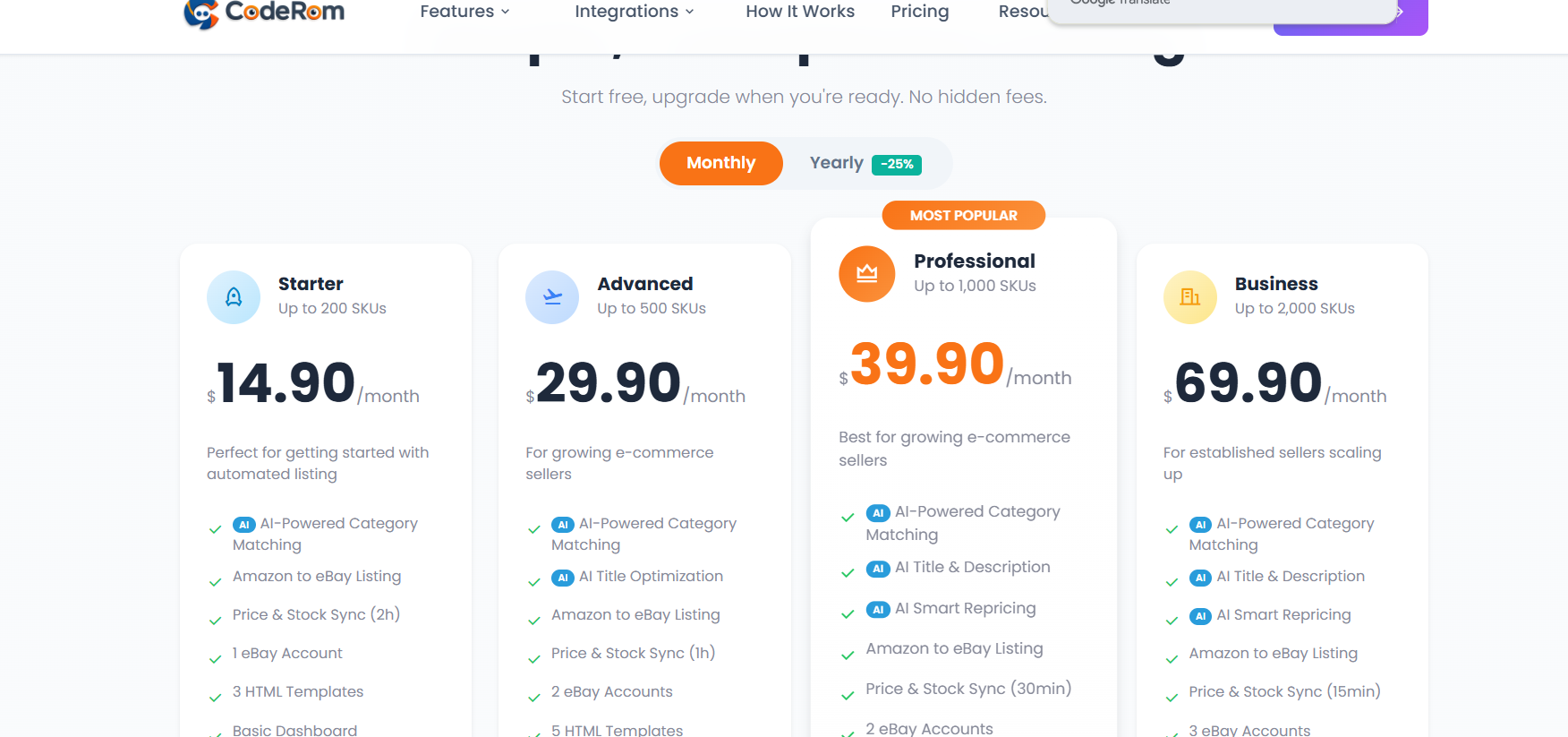
Coderom offers flexible plans based on the number of active eBay listings:
| Plan | Active listings | Price | Best for |
|---|---|---|---|
| Starter | Up to 200 | $14.90/month | New sellers |
| Advanced | Up to 500 | $29.90/month | Growing businesses |
| Professional | Up to 1,000 | $39.90/month | Growing e-commerce sellers (most popular) |
| Business | Up to 2,000 | $69.90/month | Established sellers scaling up |
| Enterprise | Up to 5,000 | $99.90/month | Large operations |
All plans include core features like Automatic Ordering, Safe Repricing protection, Auto Buyer Messages, Gmail tracking integration, and 8 eBay + 8 Amazon marketplaces. Higher tiers add AI Title/Description generation, AI Smart Repricing, faster price & stock sync intervals (down to 15 minutes), more eBay accounts, and access to additional HTML templates. Larger operations can choose Enterprise Plus, Agency, or Ultimate / Titan plans (up to 100,000 SKUs) — see the pricing page for the full comparison. Annual billing is available with up to 25% off.
Step 1: Subscription plans
Step 2: Manage your subscription
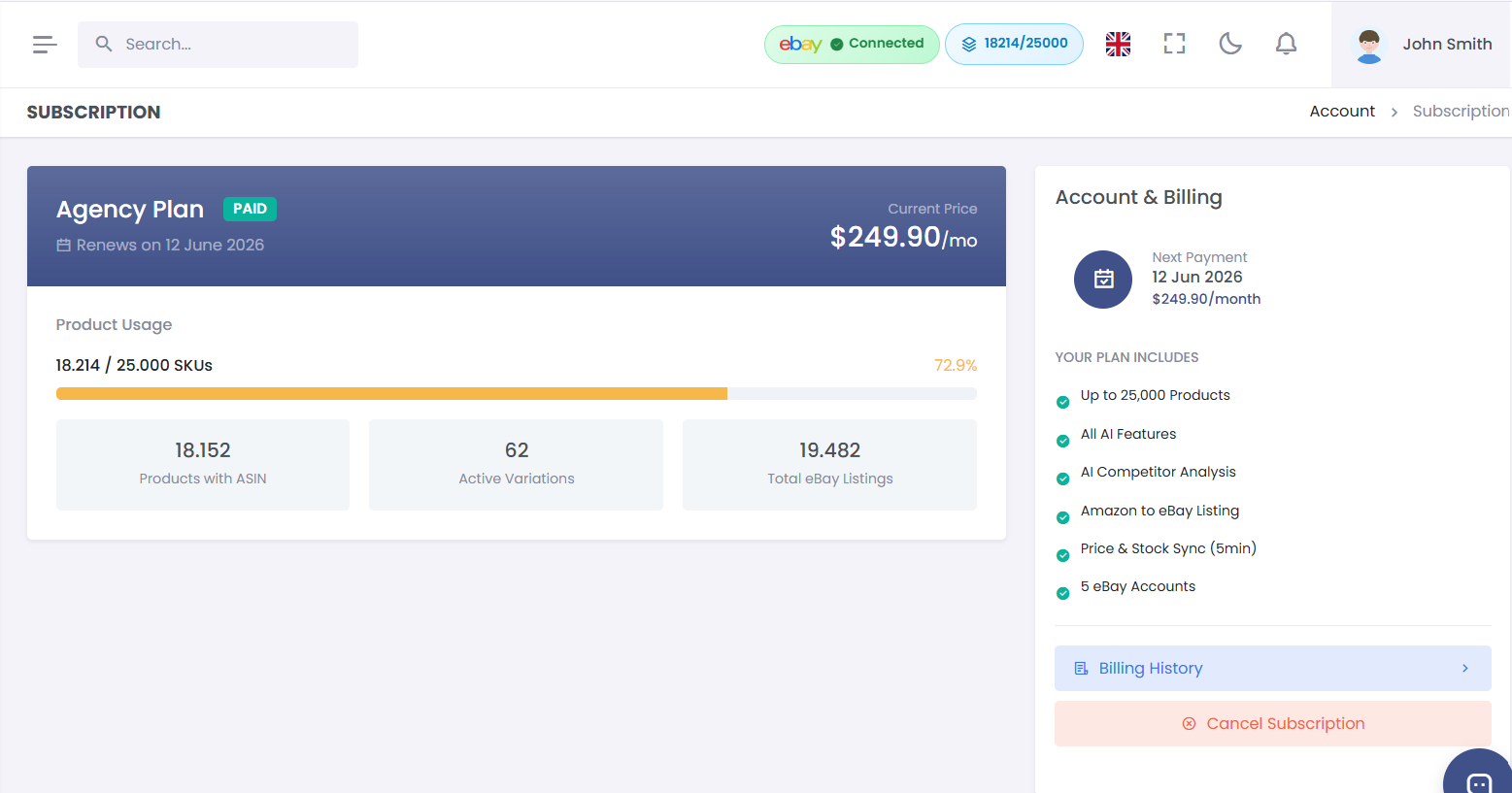
- Go to Settings → Subscription
- You'll see your current plan, billing cycle, and next payment date
- Click Change Plan to upgrade or downgrade
- Changes take effect immediately for upgrades
- Downgrades take effect at the end of your current billing cycle
Step 2: Manage your subscription
Step 3: Payment methods
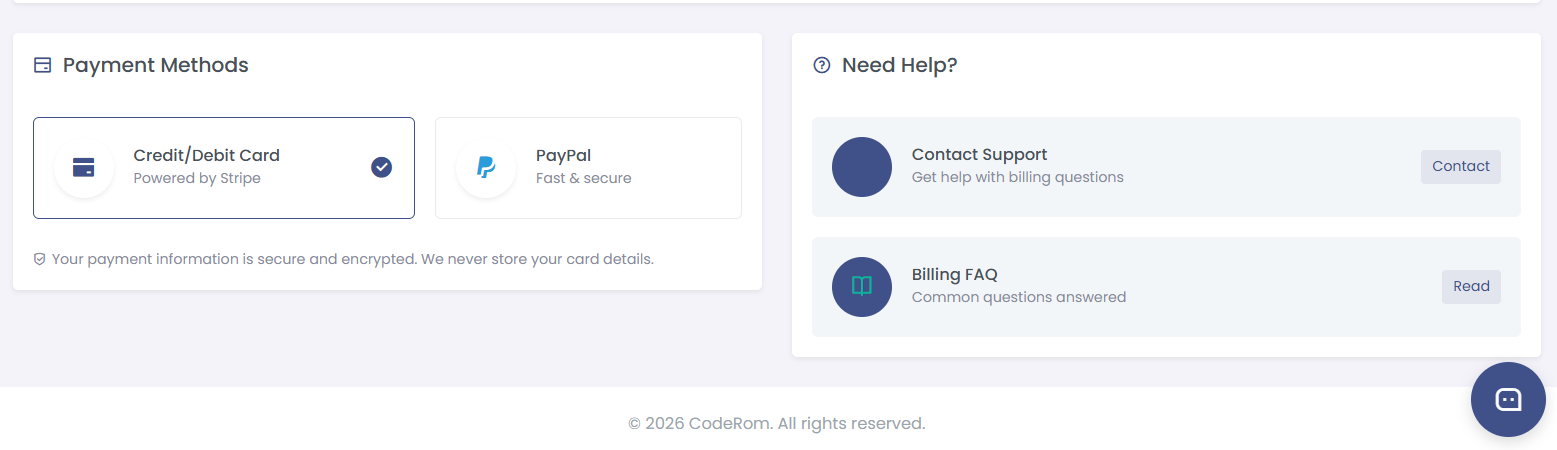
Coderom accepts payment via:
- PayPal — automatic recurring payments
- Stripe — credit/debit card payments
To update your payment method:
- Go to Settings → Billing
- Click Update Payment Method
- Choose PayPal or card payment
- Follow the prompts to complete setup
Step 3: Payment methods
Step 4: Invoices and billing history
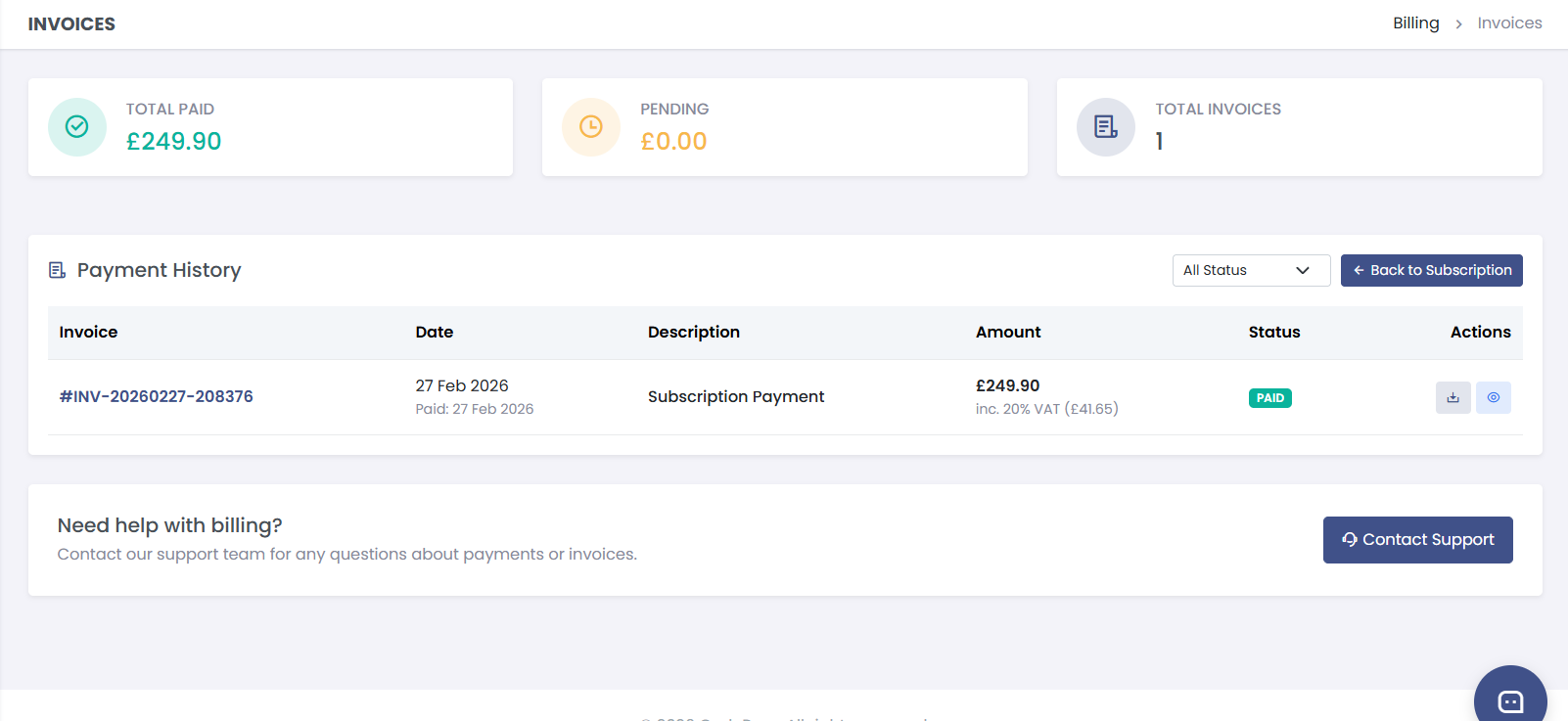
View all your past payments:
- Go to Settings → Billing
- Scroll down to Billing History
- Each invoice shows the date, amount, plan, and payment method
- Click Download to get a PDF invoice for your records
Step 4: Invoices and billing history
Step 5: Account settings
Go to Settings → Account to manage:
| Setting | What it does |
|---|---|
| Email address | Your login and notification email |
| Password | Change your account password |
| Display name | Your name shown in the dashboard |
| Timezone | Used for reports and scheduling |
| Language | Dashboard language preference |
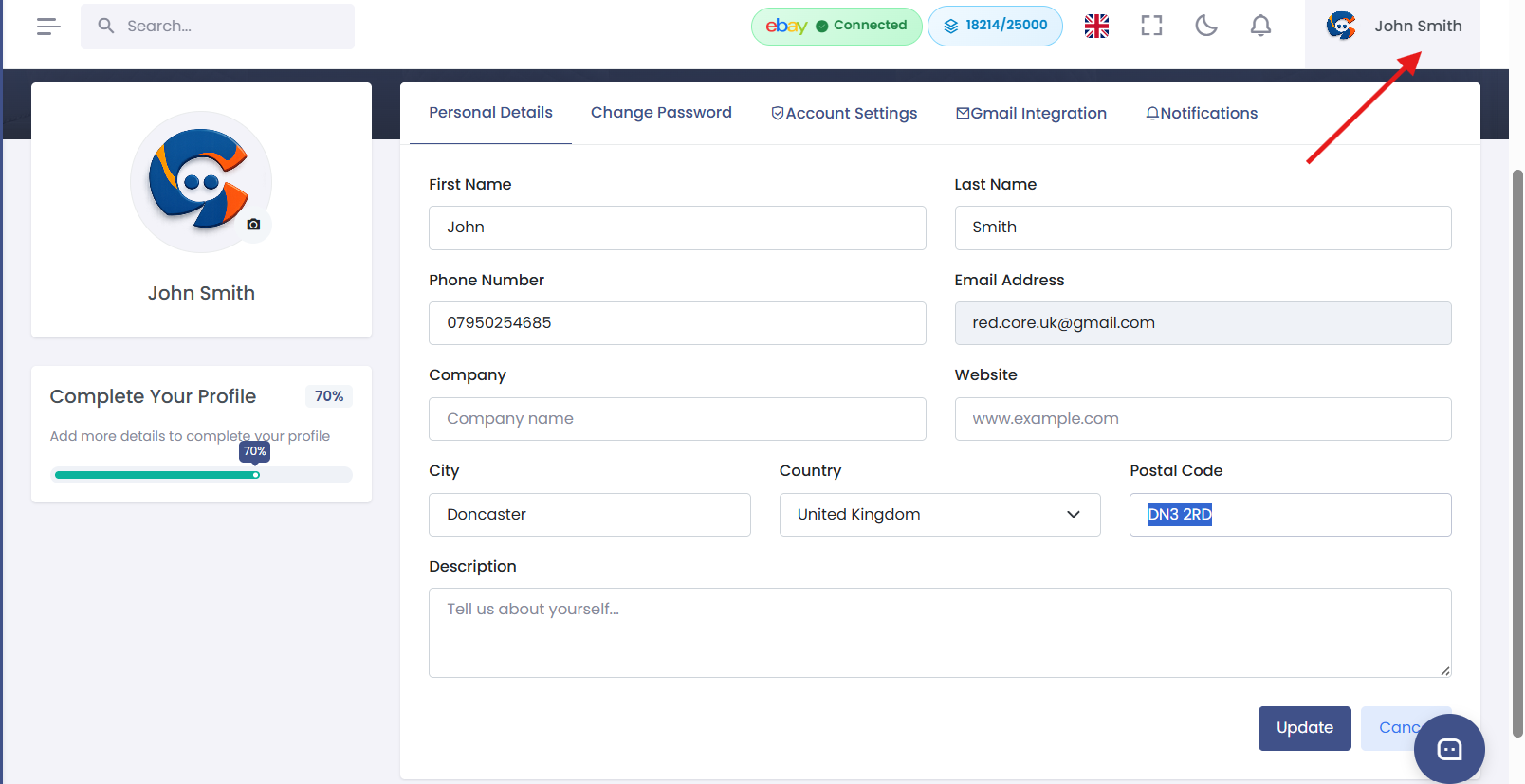
Step 5: Account settings
Step 6: Cancel your subscription
If you want to cancel your subscription:
How to cancel:
- Go to Settings → Subscription
- Click Cancel Subscription
- Your account remains active until the end of the billing period
- After cancellation, your eBay listings are not automatically removed
- You can reactivate your account at any time
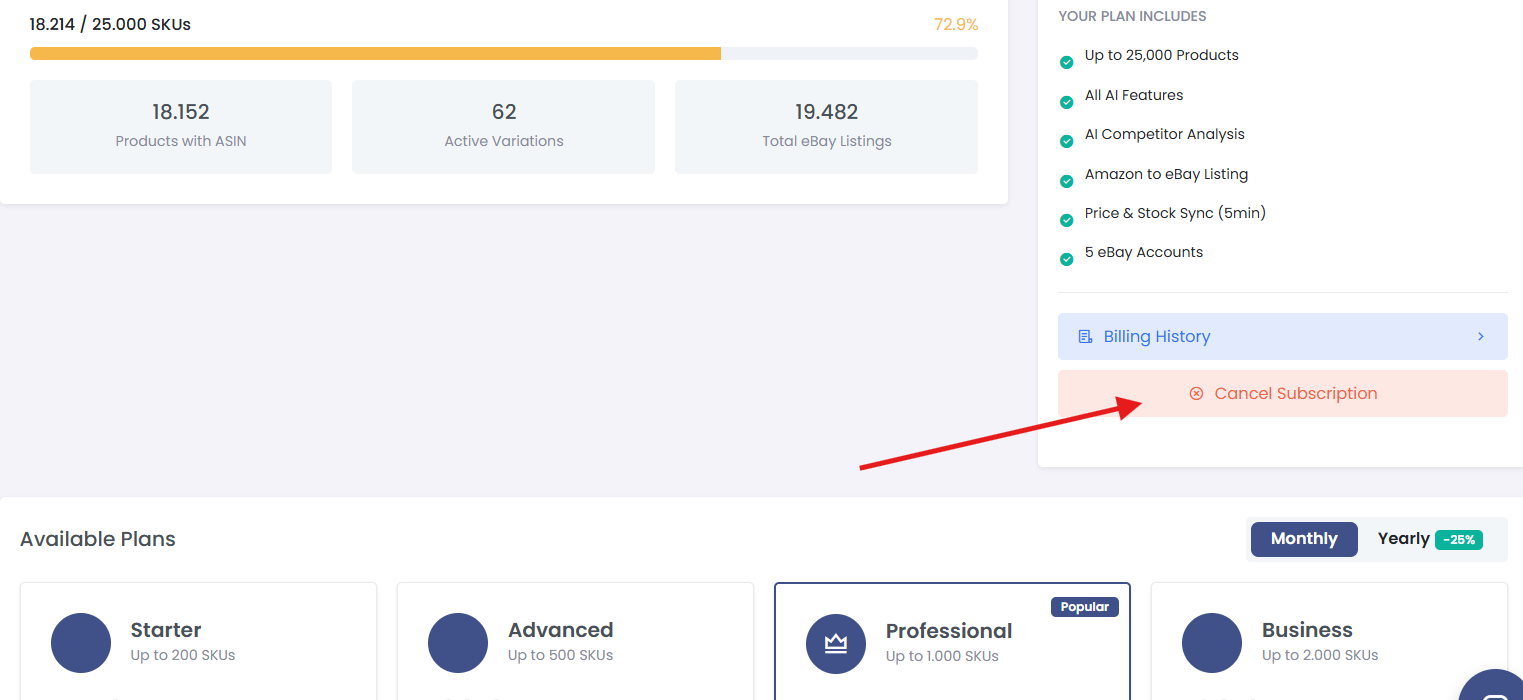
Step 6: Cancel your subscription
Was this helpful?
Still need help? Browse all articles or contact support.