Step 1: How smart repricing works
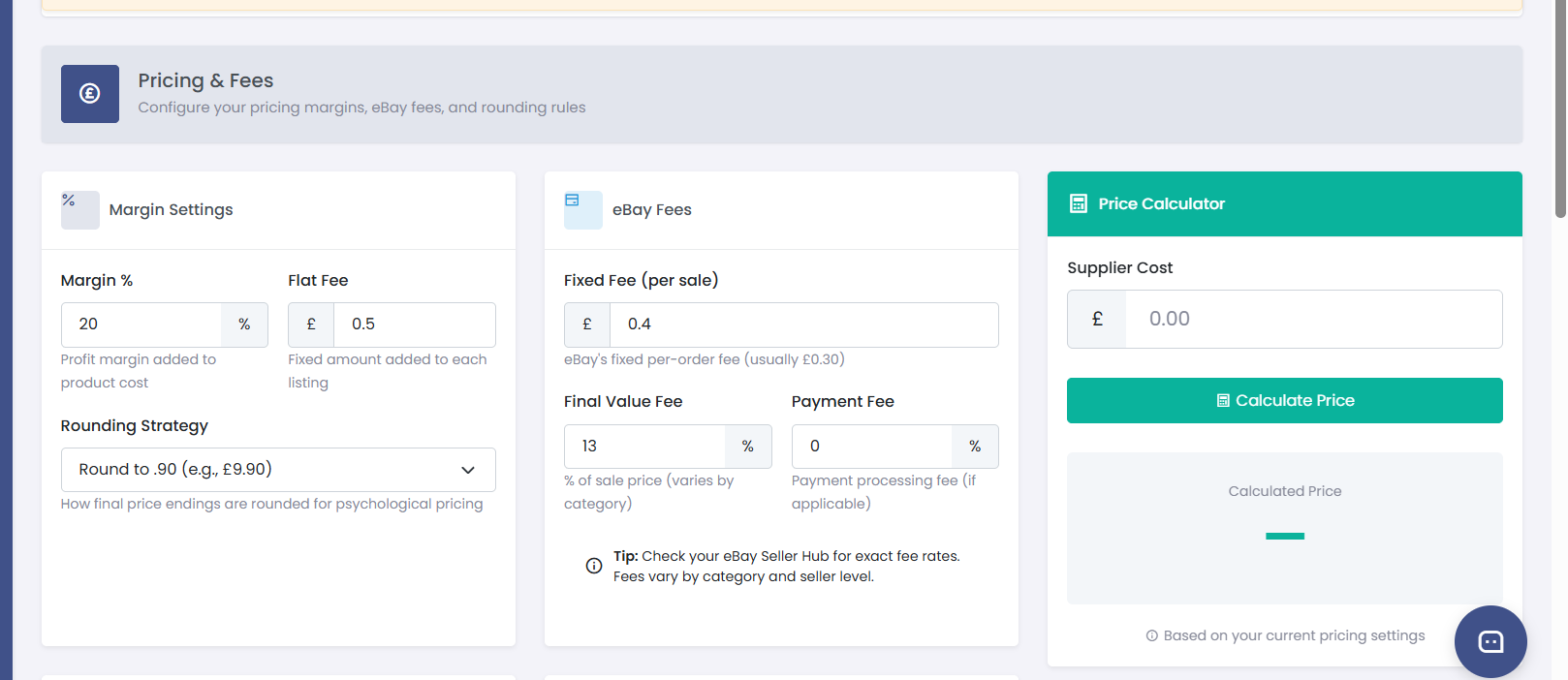
When the price of a product changes on Amazon, Coderom automatically updates your eBay listing price. This keeps your margins consistent and ensures you never sell at a loss.
The repricing cycle works like this:
- Coderom monitors Amazon prices regularly (every few hours)
- When a price change is detected, the new eBay price is calculated using your pricing rules
- Your eBay listing is updated automatically via the eBay API
Step 1: How smart repricing works
Step 2: Set your profit margin
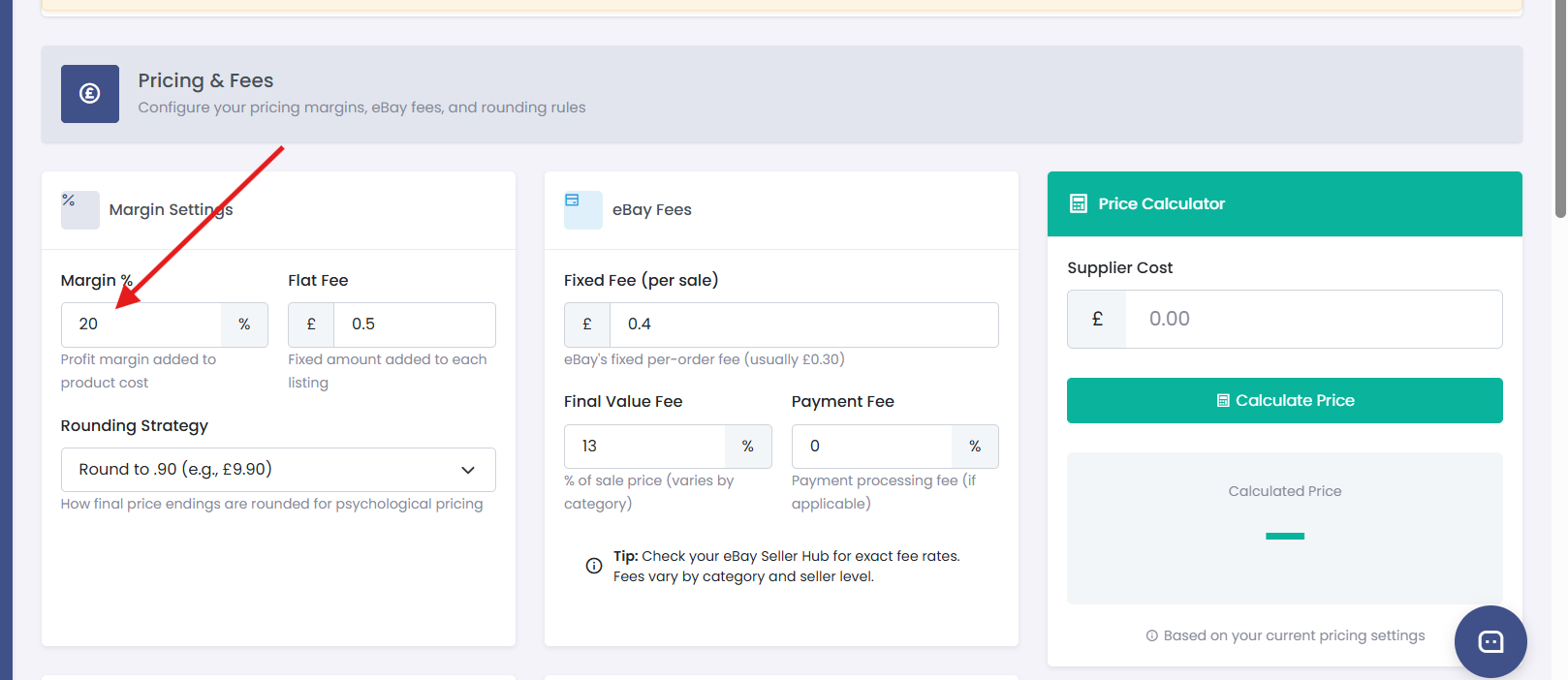
- Go to Settings → Pricing
- Find the Profit Margin setting
- Enter your desired margin percentage (e.g. 25%)
- Click Save
This margin is added on top of the Amazon price plus all fees. For example:
- Amazon price: £20.00
- eBay fees (12.8%): £3.28
- Your margin (25%): £5.82
- Final eBay price: £29.10
Step 2: Set your profit margin
Step 3: Configure eBay fees
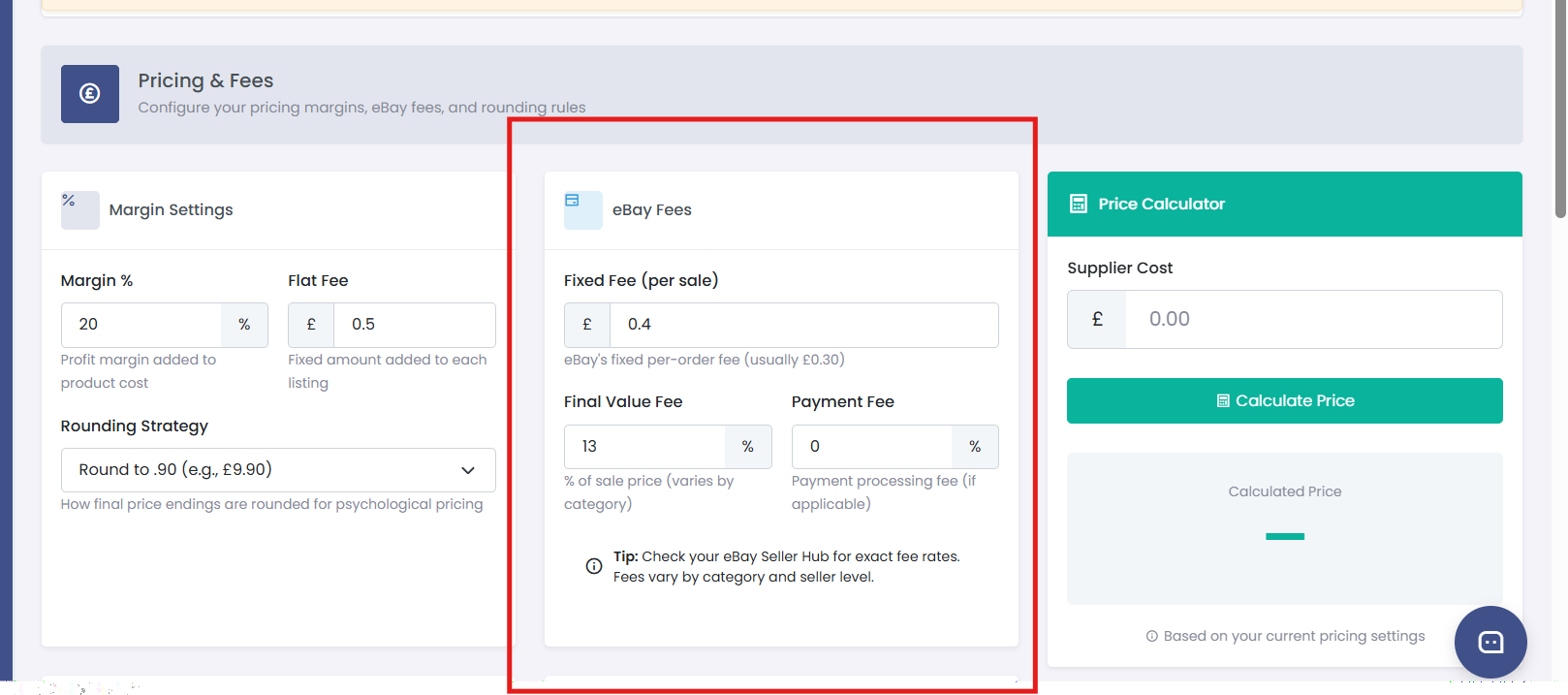
eBay charges various fees that affect your profit. Go to Settings → Pricing and set:
| Fee | Description | Typical value |
|---|---|---|
| eBay final value fee | Percentage charged on each sale | 12.8% (UK) |
| PayPal/payment fee | Payment processing fee | 2.9% + £0.30 |
| Promoted listing fee | If you use eBay advertising | 2-5% (optional) |
Step 3: Configure eBay fees
Step 4: Pricing formula explained
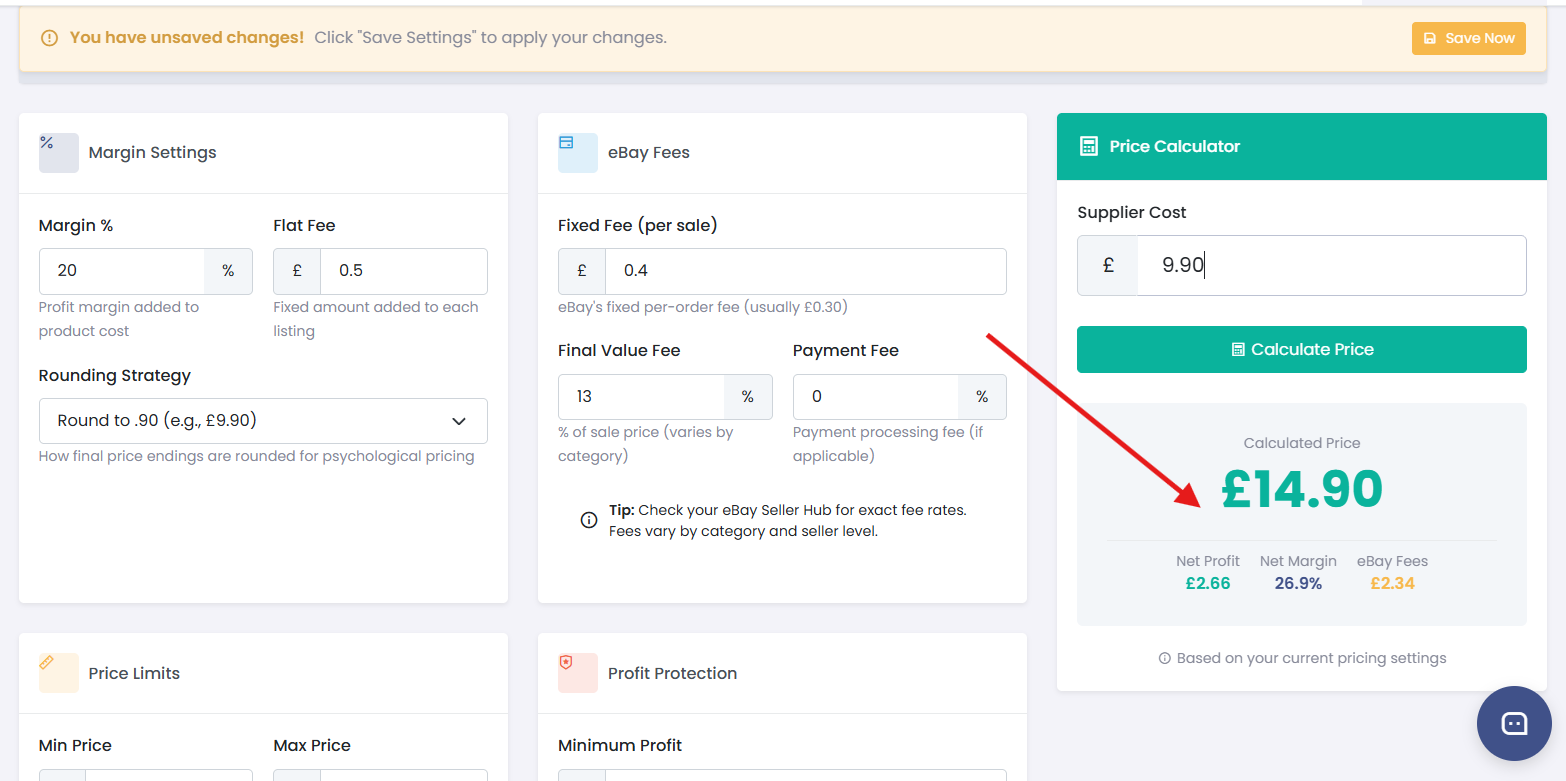
Coderom calculates your eBay price using this formula:
You don't need to calculate this yourself — just set your margin and fees, and Coderom does the maths.
Step 4: Pricing formula explained
Step 5: Manage min/max prices
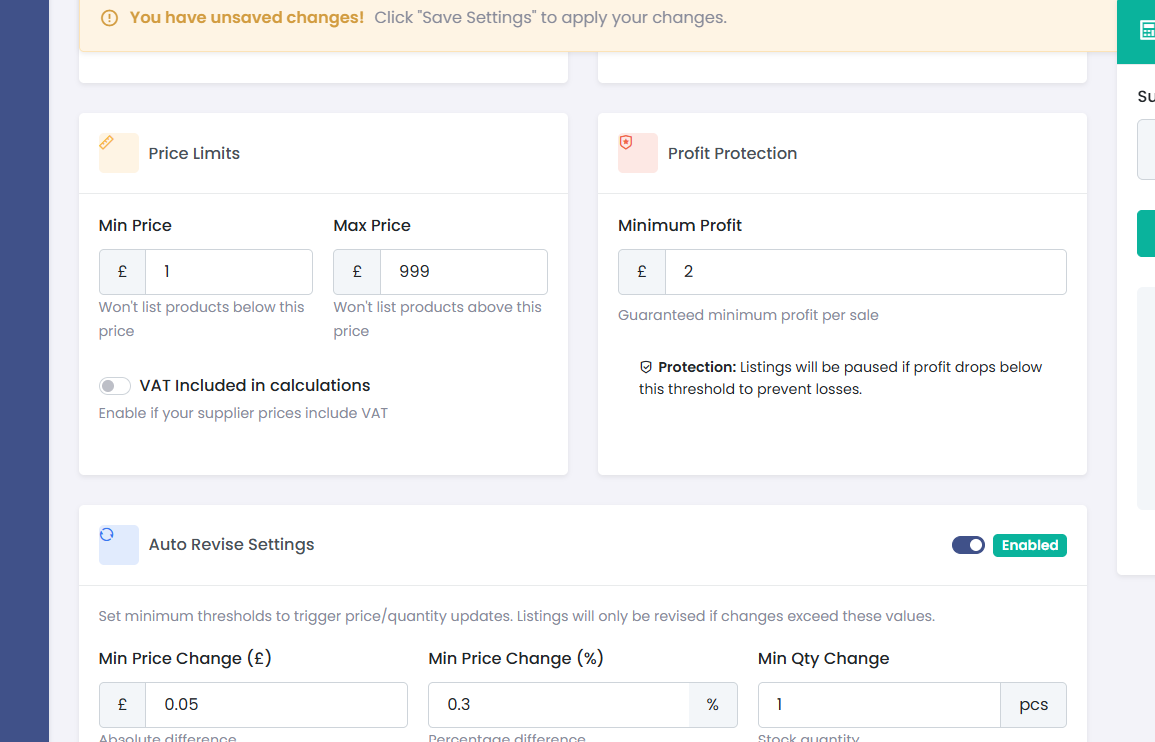
To protect against pricing errors, you can set price boundaries:
- Go to Settings → Pricing
- Set Minimum Price — your listing will never go below this price
- Set Maximum Price — your listing will never go above this price
- These can be set globally or per product
Step 5: Manage min/max prices
Step 6: Repricing schedule
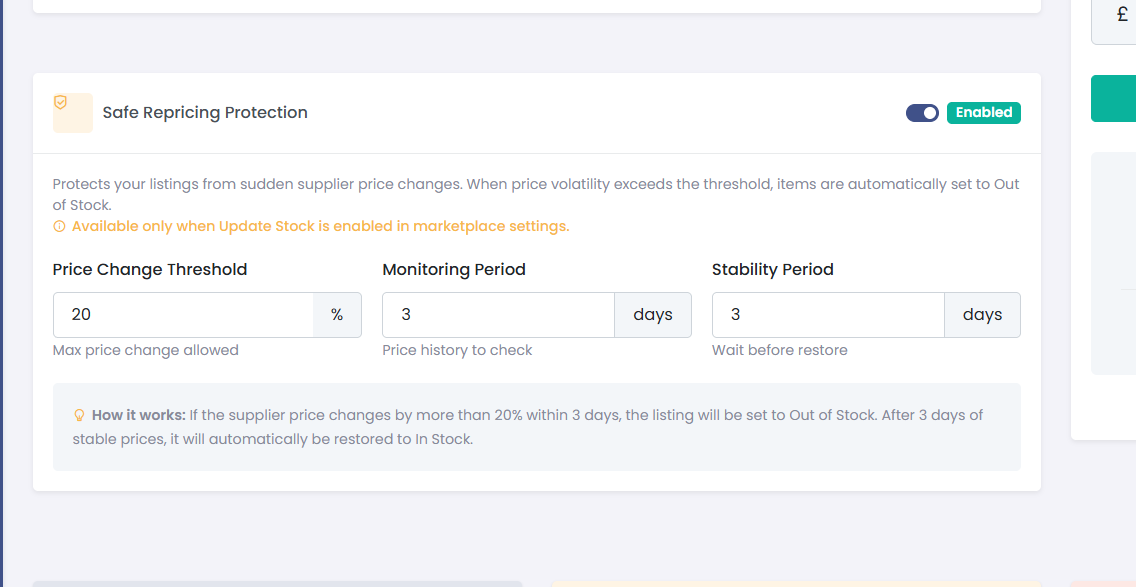
Coderom checks Amazon prices on a smart schedule:
| Product status | Check frequency |
|---|---|
| Recently sold | Every 6 hours |
| Active with views | Every 12 hours |
| Active, low activity | Every 24 hours |
| Out of stock on Amazon | Every 48 hours |
You don't need to configure this — it runs automatically. Products that sell more often are checked more frequently.
Step 6: Repricing schedule
Was this helpful?
Still need help? Browse all articles or contact support.