Step 1: Multi-store overview
Coderom supports multiple eBay marketplaces from a single account:
| Marketplace | eBay site | Currency |
|---|---|---|
| United Kingdom | ebay.co.uk | GBP (£) |
| United States | ebay.com | USD ($) |
| Germany | ebay.de | EUR (€) |
| Canada | ebay.ca | CAD (C$) |
| Australia | ebay.com.au | AUD (A$) |
| Spain | ebay.es | EUR (€) |
| France | ebay.fr | EUR (€) |
| Italy | ebay.it | EUR (€) |
Each store is managed independently — separate products, prices, orders, and settings.

Step 1: Multi-store overview
Step 2: Add an eBay store
- Go to Settings → eBay Connection
- Click Add Another Store
- Select the marketplace (e.g. United States)
- Sign in with your eBay account for that marketplace
- Grant Coderom permission to manage listings
- The new store appears in your store selector
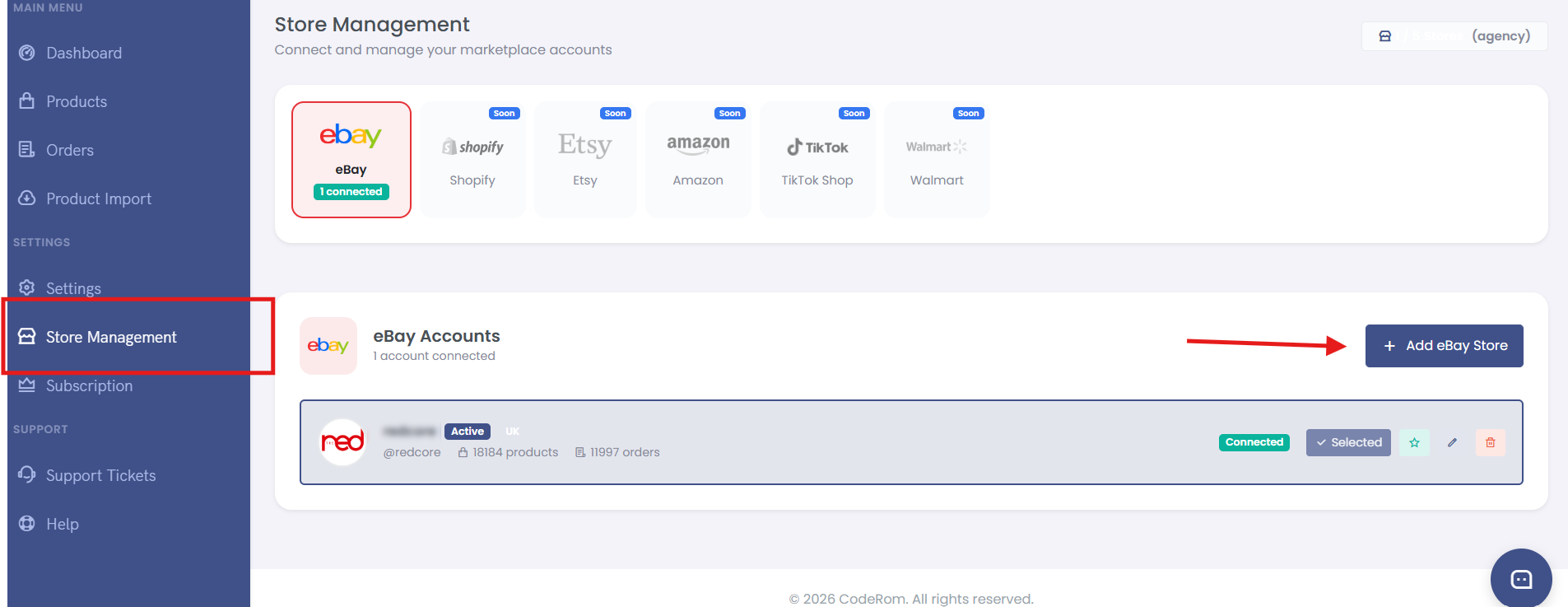
Step 2: Add an eBay store
Tip: You need a separate eBay seller account for each marketplace. If you only sell on eBay UK, you only need one store connected.
Step 3: Switch between stores
Use the store selector at the top of the dashboard to switch between your connected eBay stores. When you switch:
- Products list shows items for that store only
- Orders show that store's orders only
- Settings apply to that store only
- Reports show that store's data only
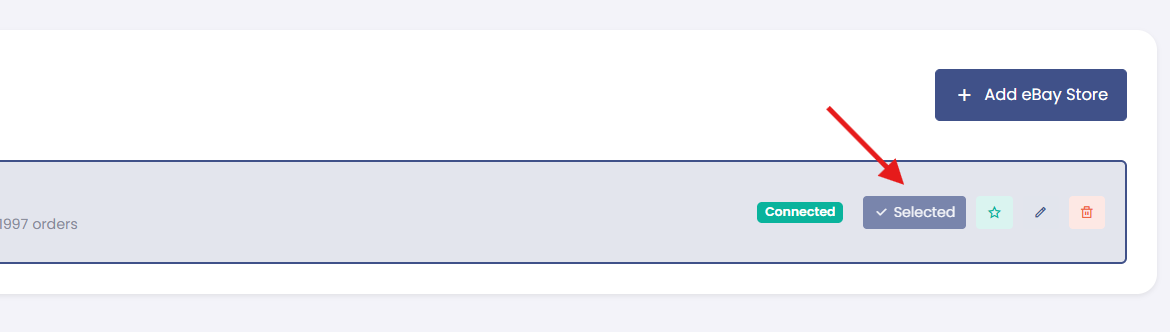
Step 3: Switch between stores
Step 4: Business policies
eBay business policies define your payment, shipping, and return rules. Coderom uses these when creating listings.
- Go to Settings → eBay Policies
- Your existing eBay business policies are synced automatically
- Choose a default policy for:
- Payment policy — how buyers pay
- Shipping policy — delivery options and costs
- Return policy — your return terms
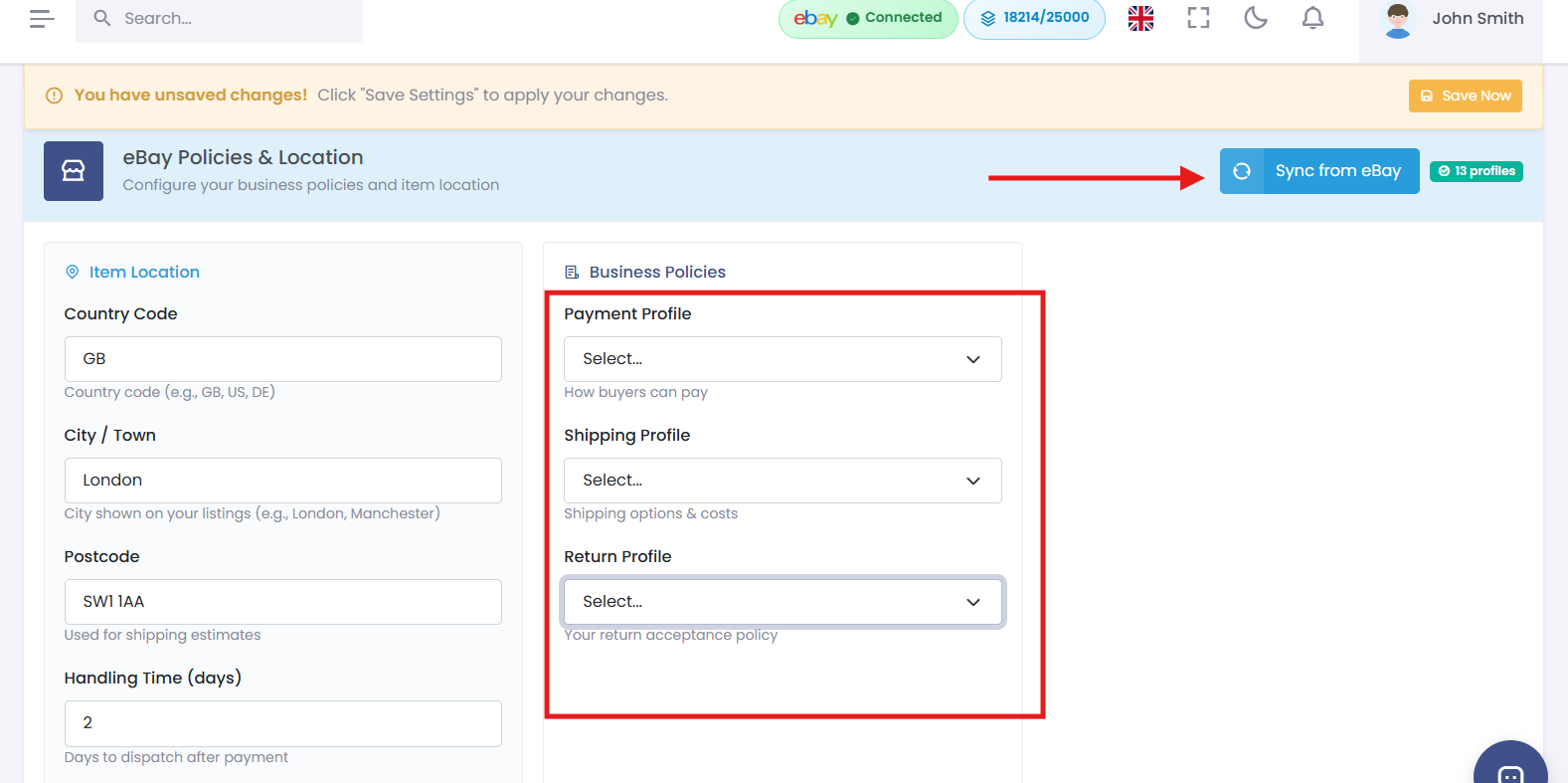
Step 4: Business policies
Tip: Create your business policies on eBay first (My eBay → Account → Business Policies), then sync them in Coderom. Coderom reads your policies but doesn't create them.
Step 5: Shipping profiles
Configure shipping for your listings:
| Setting | What it does | Recommended |
|---|---|---|
| Default shipping policy | Applied to all new listings | Your standard delivery policy |
| Dispatch time | How quickly you ship (business days) | 2-3 days |
| Free shipping | Offer free delivery | Recommended for UK |
| International shipping | Ship to other countries | Optional |
Step 6: Returns policy settings
| Setting | What it does | Recommended |
|---|---|---|
| Accept returns | Allow buyer returns | Yes (30 days) |
| Return shipping | Who pays for return postage | Buyer pays |
| Refund method | How refunds are processed | Money back |
Was this helpful?
Still need help? Browse all articles or contact support.