Step 1: Daily email report
Every morning, Coderom sends you a summary email with everything that happened in the last 24 hours. The report is sent at 09:00 your local time for each connected marketplace.
Step 1: Daily email report
Tip: Daily reports are enabled by default. Check your spam folder if you're not receiving them — the emails come from notifications@coderom.com.
Step 2: What's in the report
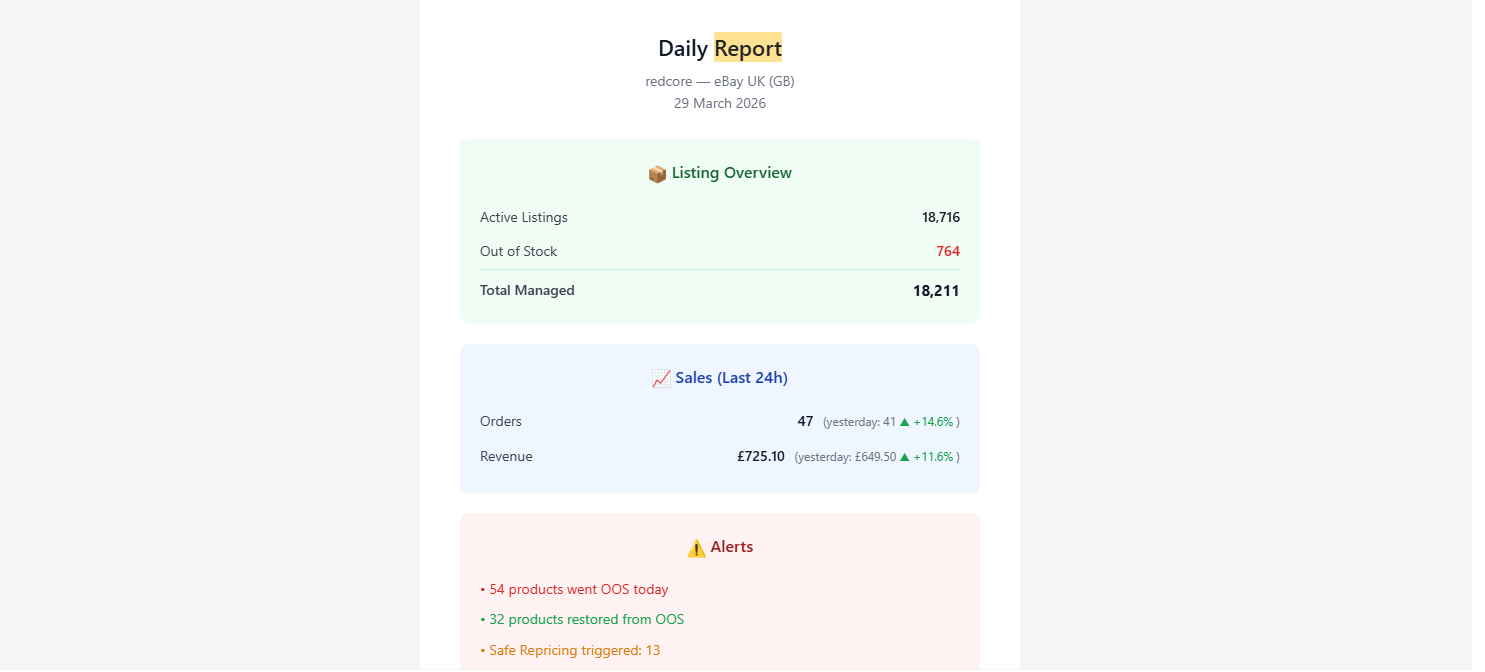
Each daily report includes:
| Section | What it shows |
|---|---|
| Orders summary | New orders, total revenue, total profit |
| Price changes | Products with price updates (up and down) |
| Stock changes | Products that went out of stock or came back |
| Listing errors | Any eBay listing errors or warnings |
| AO summary | Automatic ordering activity (if enabled) |
| Account health | eBay seller performance metrics |
Step 2: What's in the report
Step 3: Configure report settings
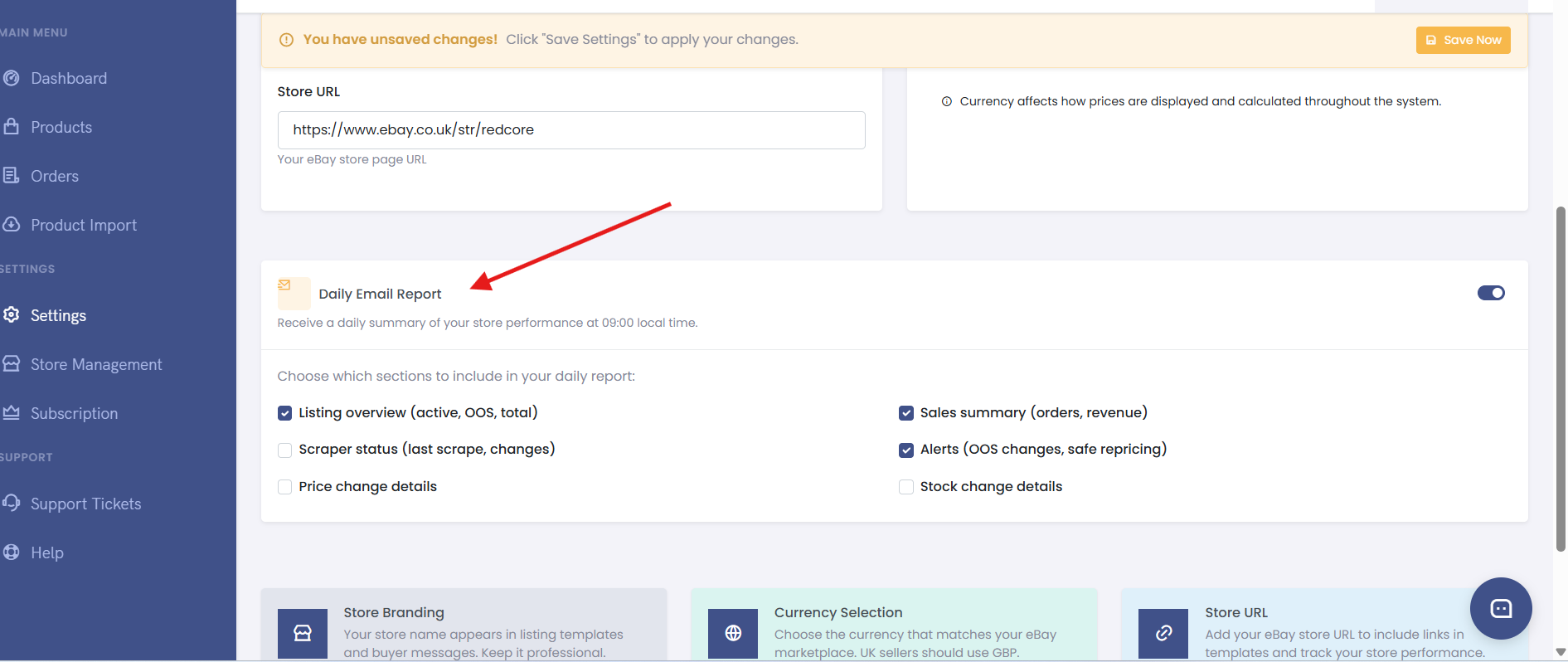
Go to Settings → Reports to customise:
| Setting | What it does | Recommended |
|---|---|---|
| Daily email report | Enable/disable the morning report | On |
| Report email | Which email address receives the report | Your primary email |
| Report time | When the report is sent | 09:00 (default) |
| Include zero-activity | Send report even when nothing happened | Off |
| Per-marketplace reports | Separate report for each eBay store | On |
Step 3: Configure report settings
Step 4: Dashboard notifications
In addition to email reports, the Coderom dashboard shows real-time notifications:
- New orders received
- Price changes detected
- Stock alerts (out of stock warnings)
- Listing errors
- AO activity
Look for the notification bell icon in the top-right corner of the dashboard.
Step 5: Telegram notifications
For instant alerts, connect Telegram:
- Go to Settings → Notifications
- Click Connect Telegram
- Follow the link to the Coderom Telegram bot
- Send /start to the bot
- Your Telegram is now linked — you'll receive instant alerts
Tip: Telegram notifications are instant — much faster than email. Use them for critical alerts like new orders and stock-outs.
Was this helpful?
Still need help? Browse all articles or contact support.