Step 1: Why use Amazon filters?
Not all Amazon offers are equal. A product might be available from:
- Amazon directly (most reliable)
- FBA sellers (fulfilled by Amazon — fast delivery)
- Third-party sellers (variable quality and delivery times)
- Used or refurbished condition
Amazon filters let you control which offers Coderom considers when setting your eBay price and checking stock. This protects you from unreliable suppliers and ensures consistent delivery times for your eBay buyers.

Step 1: Why use Amazon filters?
Step 2: Seller type filters
Go to Settings → Amazon Filters and configure seller preferences:
| Filter | What it does | Recommended |
|---|---|---|
| Amazon only | Only use offers sold by Amazon.co.uk | Off (too restrictive) |
| FBA only | Only use offers fulfilled by Amazon (FBA) | On |
| Require Prime | Only use offers eligible for Prime delivery | On |
| Exclude third-party | Skip offers from non-FBA third-party sellers | Optional |
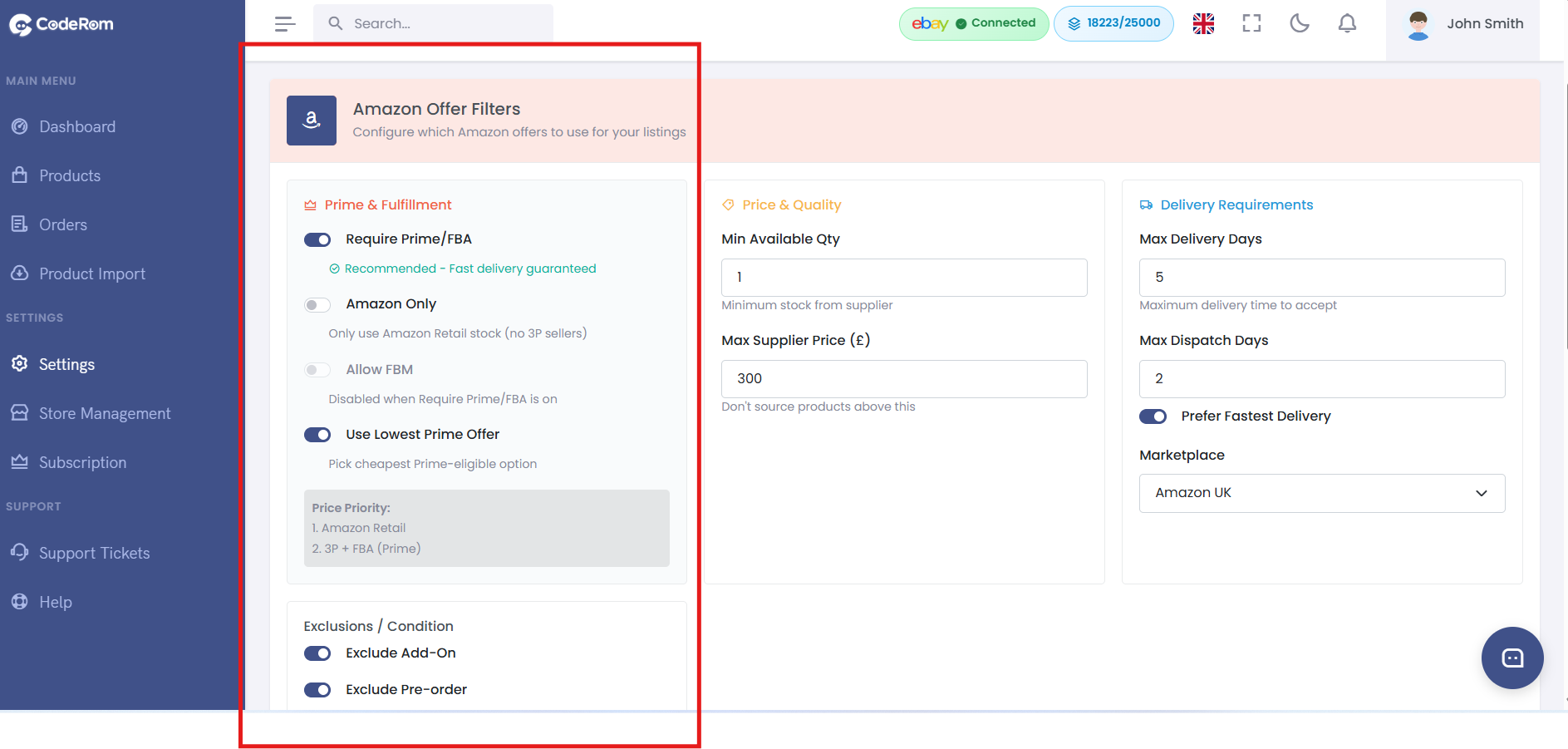
Step 2: Seller type filters
Step 3: Condition filters
Control which product conditions are acceptable:
| Condition | Description | Recommended |
|---|---|---|
| New | Brand new, sealed | On (always) |
| Renewed/Refurbished | Professionally refurbished | Off (unless you list as refurbished on eBay) |
| Used | Previously owned | Off |
| Open box | New but opened packaging | Off |
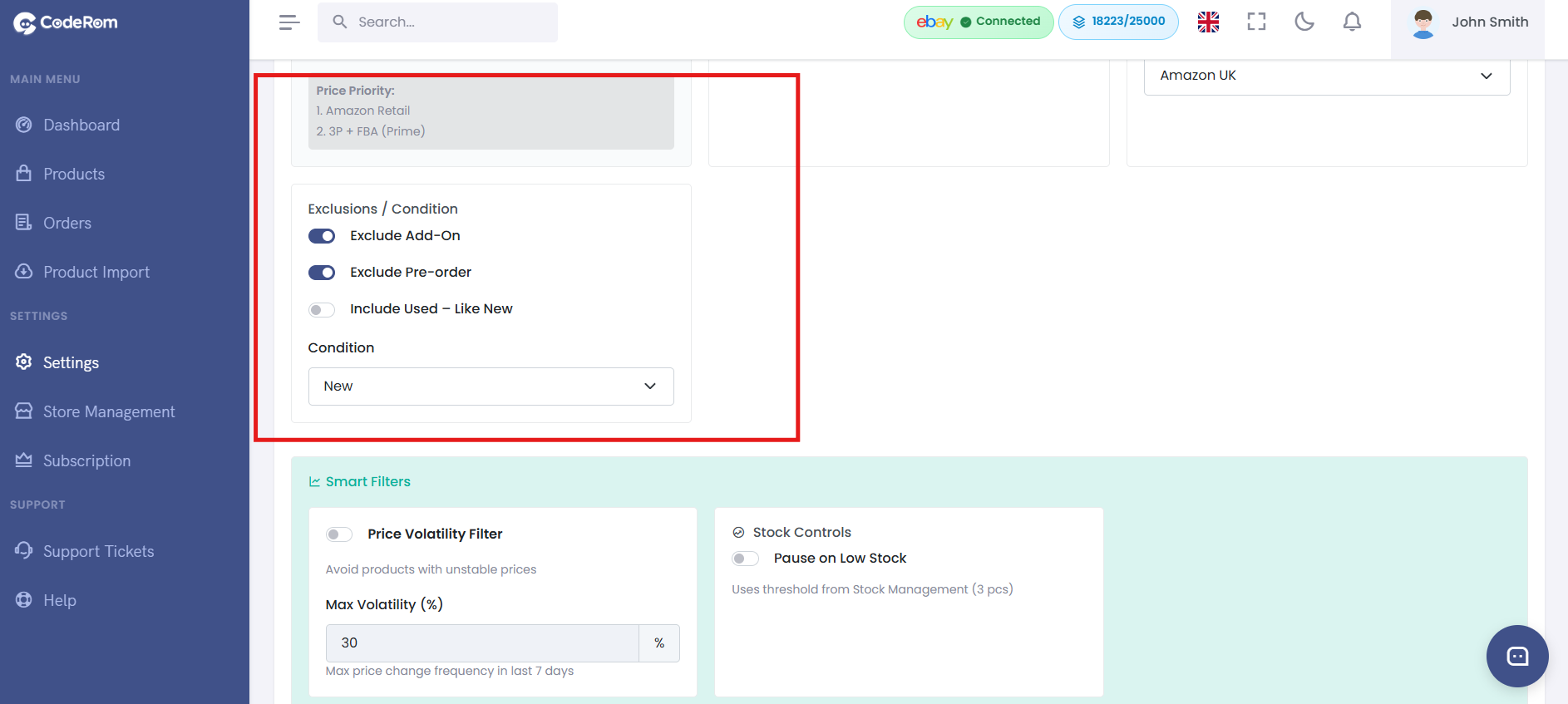
Step 3: Condition filters
Step 4: Delivery and Prime filters
Control delivery requirements:
| Setting | What it does | Recommended |
|---|---|---|
| Require Prime | Only use Prime-eligible offers | On |
| Maximum delivery days | Skip offers with delivery longer than X days | 3 days |
| Free delivery only | Only use offers with free delivery | Optional |
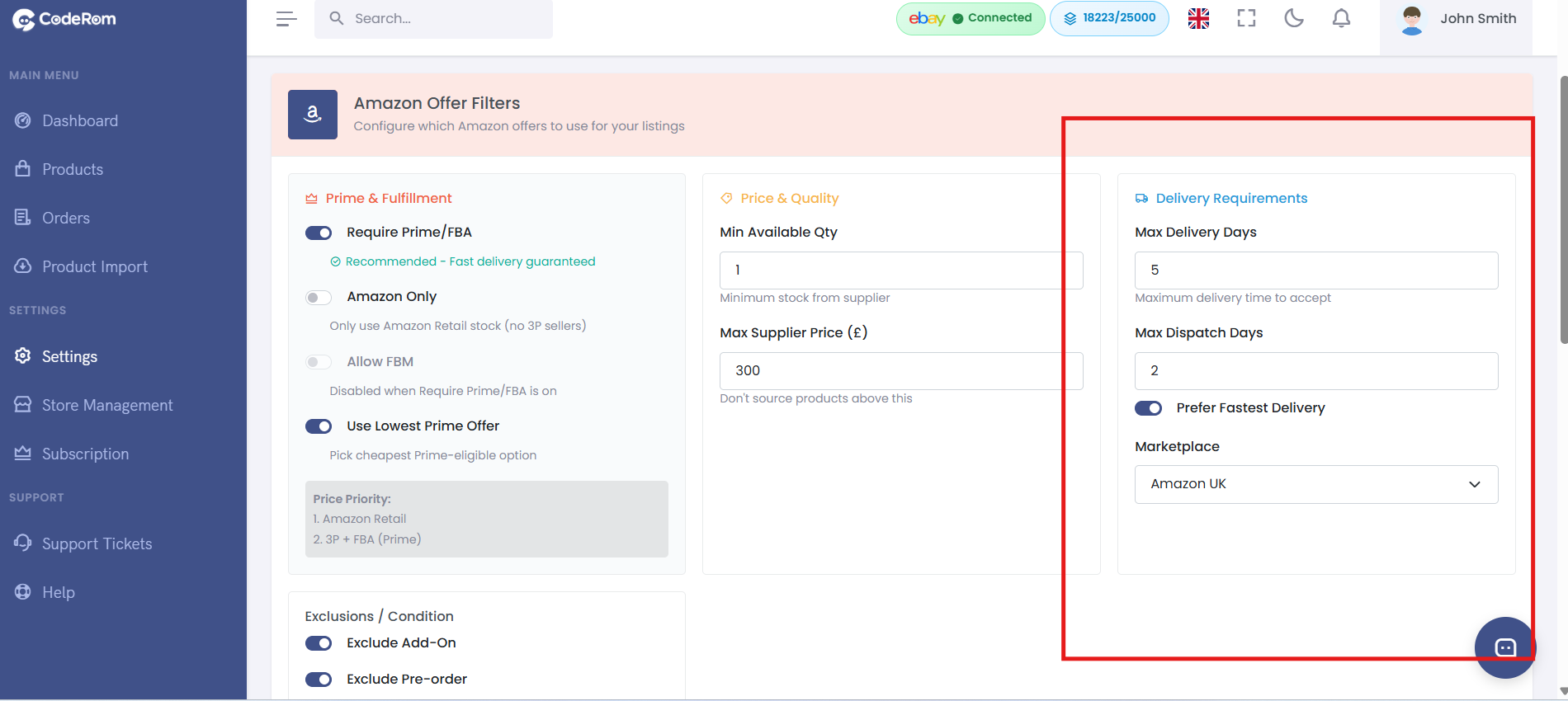
Step 4: Delivery and Prime filters
Step 5: Price filters
Set price boundaries for Amazon offers:
| Setting | What it does | Recommended |
|---|---|---|
| Maximum price | Ignore offers above this price | Based on your margins |
| Minimum price | Ignore suspiciously cheap offers | Set low (e.g. £1) |
| Price change alert | Notify if price changes more than X% | 30% |
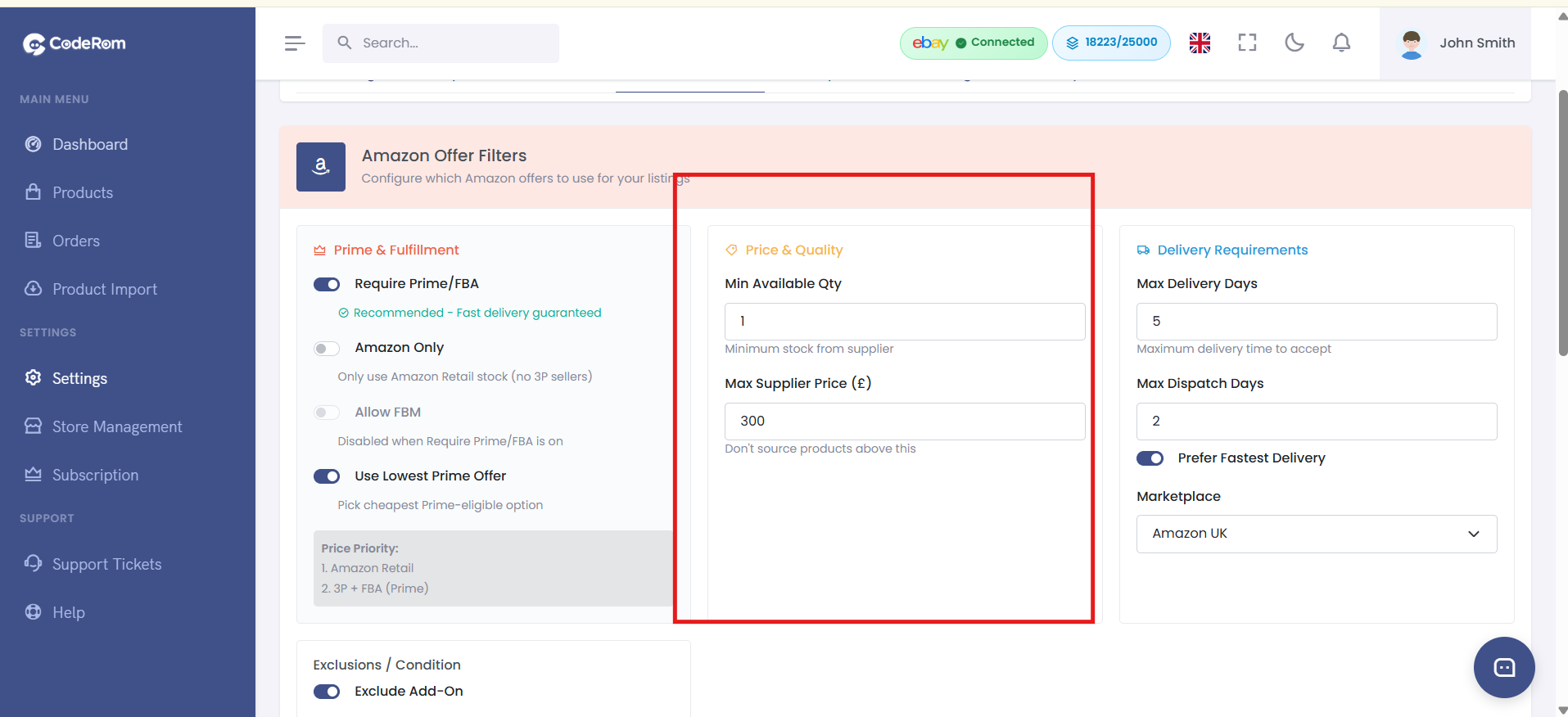
Step 5: Price filters
Step 6: Filter priority and behaviour
When multiple Amazon offers match your filters, Coderom selects the best one based on:
- Price — lowest price first
- Seller type — Amazon > FBA > Third-party
- Delivery speed — fastest delivery first
- Seller rating — higher-rated sellers preferred
If no offers match your filters, the product is marked as "out of stock" on eBay — this protects you from sourcing from unacceptable suppliers.
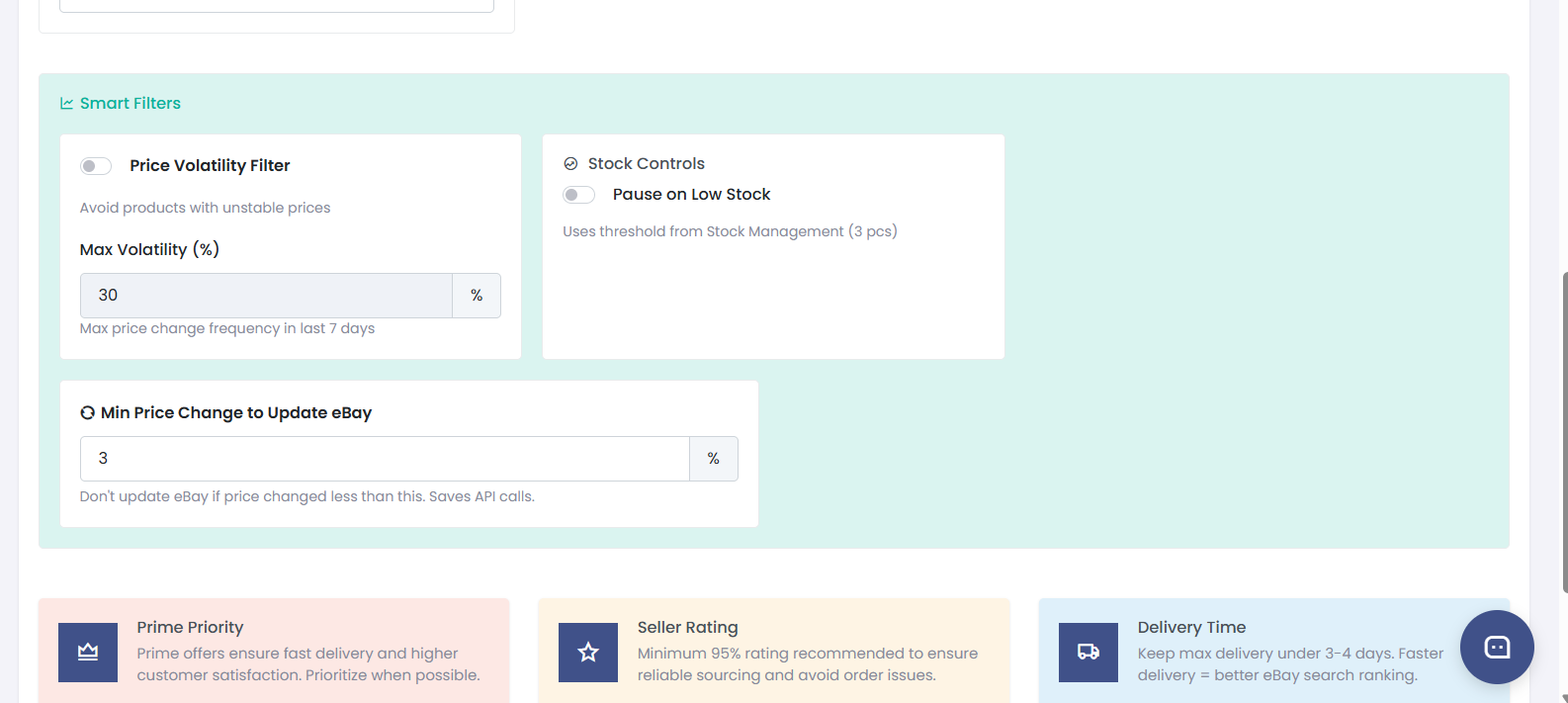
Step 6: Filter priority and behaviour
Was this helpful?
Still need help? Browse all articles or contact support.