Step 1: What are automated messages?
Automated messages are sent to your eBay buyers at important moments during the order process. They help you:
- Confirm that the order is being processed
- Notify the buyer when their item has been dispatched
- Follow up after delivery to encourage positive feedback
- Maintain professional communication without manual effort
All messages are sent through eBay's messaging system — buyers receive them in their eBay inbox.

Step 1: What are automated messages?
Step 2: Message types and triggers

Step 2: Message types and triggers
Tip: The delivery follow-up message is your best opportunity to get positive feedback. A friendly, professional message at the right time can significantly improve your feedback score.
Step 3: Enable auto messages
- Go to Settings → Auto Messages
- Toggle Auto Messages to On
- Choose which message types you want to enable:
- Order confirmation ✓
- Dispatch notification ✓
- Delivery follow-up ✓
- Click Save
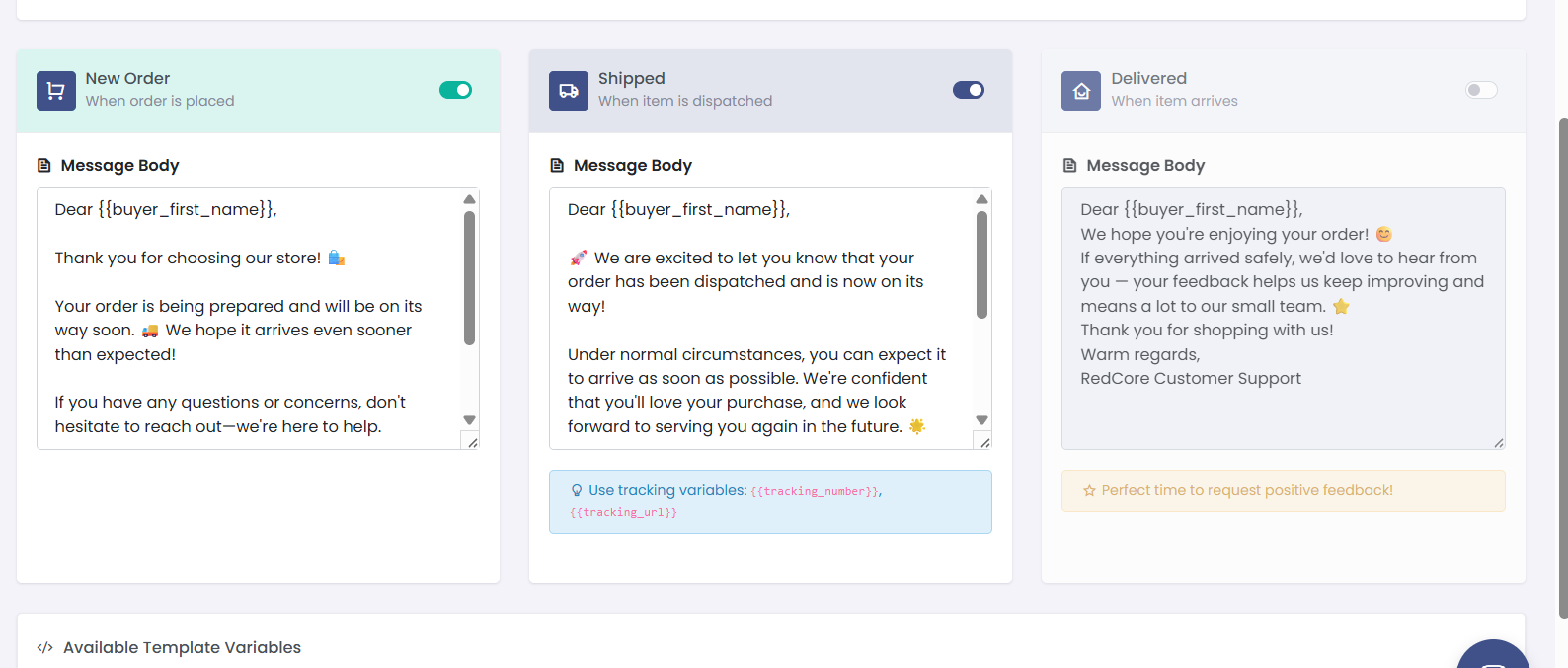
Step 3: Enable auto messages
Step 4: Customise message templates
Each message type has a default template that you can customise:
- Go to Settings → Auto Messages
- Click Edit Template next to any message type
- Modify the message text
- Use placeholders for dynamic content:
| Placeholder | Replaced with | Example |
|---|---|---|
{buyer_name} | Buyer's eBay username | john_smith_123 |
{item_title} | Product title | Fire TV Stick 4K Max |
{order_number} | eBay order number | 12-34567-89012 |
{tracking_number} | Shipment tracking number | AB123456789GB |
{delivery_estimate} | Estimated delivery date | 15 April 2026 |
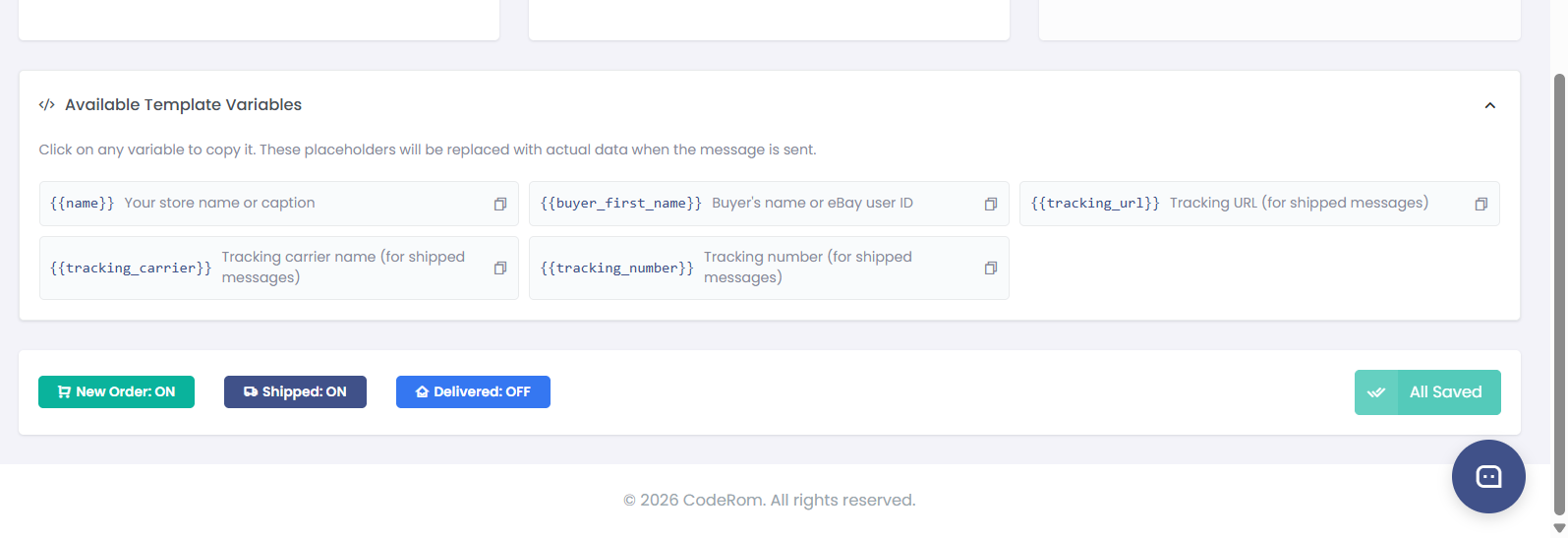
Step 4: Customise message templates
Tip: Keep your messages short, friendly, and professional. Avoid asking for positive feedback directly — eBay's policies prohibit this. Instead, say something like "We hope you enjoy your purchase. If you have any concerns, please let us know."
Step 5: Message settings
| Setting | What it does | Recommended |
|---|---|---|
| Auto messages enabled | Master toggle for all automated messages | On |
| Order confirmation | Send when order is received | On |
| Dispatch notification | Send when tracking is uploaded | On |
| Delivery follow-up | Send after estimated delivery | On |
| Follow-up delay | Days to wait after delivery before follow-up | 2-3 days |
| Send to repeat buyers | Send messages to returning customers | On |
Was this helpful?
Still need help? Browse all articles or contact support.